Agnes - Your AI for life
- 3.6
- Rating
- 5.00M
- Installs
- Free
- Price
 Analysis by App-foxy
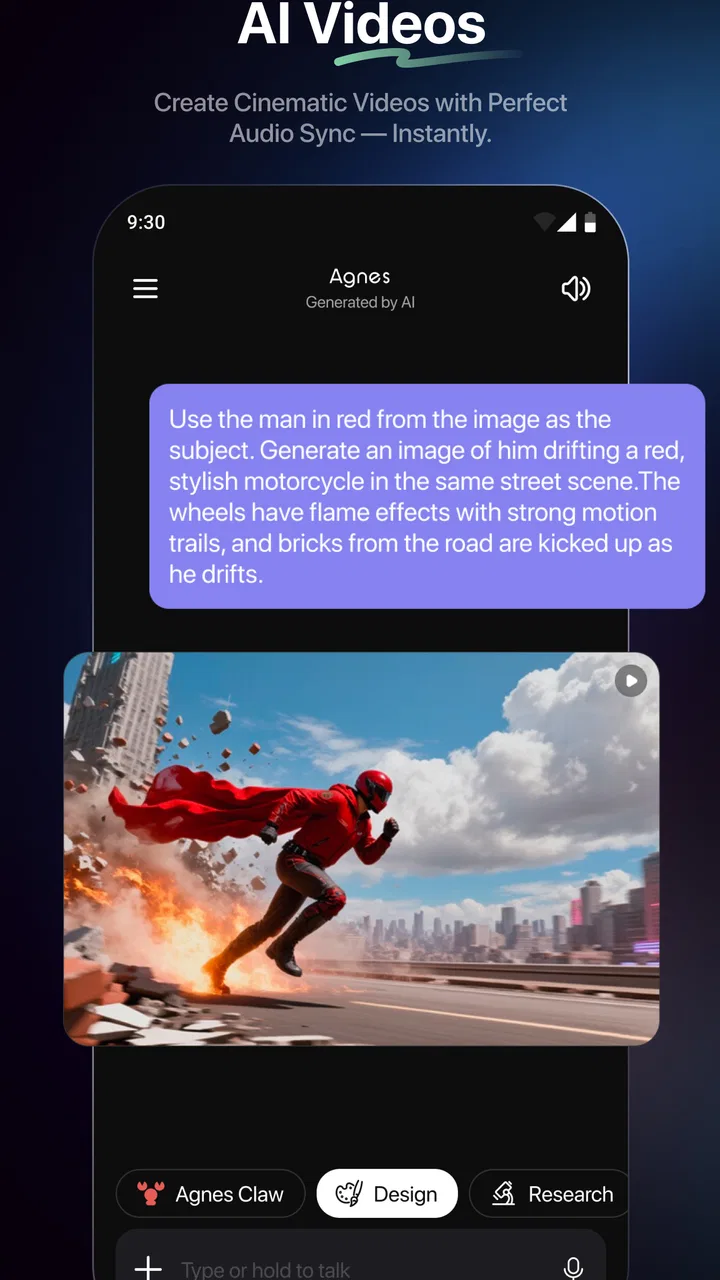
Agnes is an entertainment app built around the idea of having an AI companion available for everyday questions, small tasks, and casual conversation. I spent time treating it less like a novelty chatbot and more like something I might actually keep on my phone, and that distinction matters. It can be useful when I want a quick starting point, a second opinion, or help turning a vague thought into something clearer. It is also easy to overestimate what it can do if I approach it as a complete personal assistant rather than an AI conversation tool.
What makes Agnes interesting is the way it fits into ordinary moments. I can open it when I need help wording a message, ideas for a quiet evening, an explanation of a topic, or a quick conversation when I do not want to search through several apps. The experience belongs to the entertainment category, but its usefulness reaches into light productivity and personal organization. My overall impression is positive, with an important condition: the quality of the experience depends heavily on how clearly I ask and how carefully I check the answers.
How Agnes fits into a normal day
The simplest workflow is also the one I recommend first. I open the app, describe what I need in natural language, read the reply, and then refine the request instead of starting over. That last step makes a bigger difference than I expected. A short question may produce a broad answer, while a second message explaining my audience, tone, or preferred format usually makes the result much more practical.
You May Also Like

 Google Keep - Notes and lists
Google Keep’s Quiet Growth Shows the Appeal of Simpler Notes
As mobile work gets busier, Google Keep keeps winning a simple contest: capture a thought quickly, find it later, and get on with the day.

 Blood Strike: 2.5 Anniversary
Blood Strike’s Loadouts Turn Every Drop Into a Tactical Gamble
A close look at Blood Strike’s custom loadouts: how fast access to signature weapons reshapes its battle royale rhythm, rewards preparation, and narrows the gap between fights.

 Pandora - Music & Podcasts
Pandora’s Music Is Easy to Start, but Harder to Recover
Pandora’s strength is its low-effort path from a seed to a station. Its weak spot is how much confidence it asks you to place in connection, setup, and quiet recovery.

 8 Ball Pool
 Is Built on Rivalries, Rematches, and Routine
A close look at the rivalries, rematches, shared routines, and unanswered safety questions that turn a quick pool match into a persistent mobile community.

 Samsung Music
’s Quiet Strength Is Playing What You Already Own
Its reach comes less from spectacle than from dependable access to a personal library. That simplicity is both the app’s strongest retention engine and its ceiling.

 AccuWeather: Weather Radar
AccuWeather Review: A Quick, Clear Forecast for Everyday Decisions
For everyday plans, the best forecast is the one you can understand quickly. AccuWeather makes rain timing, radar, and local conditions easy to act on, with a few trade-offs.
More From Our News Desk



For example, imagine I have finished work and want to plan a relaxed evening at home. Rather than asking for “something fun,” I can explain that I have limited energy, do not want a complicated preparation process, and would prefer an activity lasting less than an hour. Agnes can then help me narrow the possibilities. If the first suggestions feel generic, I can say what I disliked and ask for alternatives. This back-and-forth is more useful than expecting a perfect answer from one sentence.
I also found the app suitable for small writing jobs. Agnes can help me make a message friendlier, shorten a long explanation, or produce several ways to express the same idea. I would not send an important message without reading it myself, because an AI-generated sentence can sound polished while still missing the personal context. Used as a drafting partner, though, it saves the awkward first few minutes when I know what I mean but cannot find the right wording.
The same approach works for learning and entertainment. I can ask for a simple explanation of a subject, request examples, or turn a dry topic into a quiz-style exchange. For recommendations, I get better results when I provide boundaries such as mood, time available, and things I have already tried. Agnes is not a replacement for a specialist search tool, but it is convenient when I want ideas presented conversationally rather than as a long page of links.
The app is free to download and use, with optional in-app purchases ranging from small amounts to substantially higher-priced items. That makes it easy to try without committing money immediately, but I would still pay attention to purchase screens and decide in advance whether the extra options are worth it for my own habits. Someone who only wants occasional questions may find the free experience sufficient, while a frequent user should examine the available choices before treating the app as a daily dependency.
The first setup decisions are more important than they look
When I start using an AI app, I prefer to establish a repeatable way of asking for help. With Agnes, I get more consistent results when I state the purpose first, then add constraints. “Help me plan a low-effort dinner for two, using ingredients I already have” is more useful than “What should I eat?” The same pattern works for writing, recommendations, explanations, and creative prompts.
I also avoid putting several unrelated requests into one message. If I ask for a travel idea, a rewritten note, and an explanation of a technical term together, the response can become unfocused. Separate conversations or separate prompts make it easier to judge whether the answer is actually addressing the right problem. This is a small habit, but it reduces the need to correct the app repeatedly.
Another practical habit is to ask Agnes to show alternatives rather than accepting the first answer. I might request three tones for a message, two levels of explanation, or a version that is shorter and less formal. This gives me control without requiring a complicated workflow. The app becomes more useful when I treat it as a collaborator that needs direction, not an oracle that should guess everything correctly.
Settings and controls worth checking
I would begin by checking the app’s available settings and any account or purchase controls before using it heavily. The exact value of those areas depends on how Agnes presents them on the device, but the general principle is straightforward: understand how the app handles your conversations, how notifications behave, and where optional purchases appear. These checks take little time and prevent the app from becoming noisier or more expensive than intended.
Notifications deserve particular attention. An AI companion can be pleasant when I deliberately open it, but less appealing if it interrupts me during work or rest. I prefer to keep alerts limited unless I have a clear reason to receive them. Agnes works best for me as an on-demand tool. That keeps the interaction intentional and avoids turning casual entertainment into another stream of interruptions.
I would also review the language and response preferences that are available in the current installation. Even a good answer feels less useful if it uses the wrong tone, level of detail, or language style. When a setting is not available, I can still state my preference directly in the conversation: ask for plain English, short bullet points, a warmer tone, or an explanation aimed at a beginner. Repeating that instruction at the start of a new topic often improves consistency.
Because Agnes is an AI service, I avoid treating the chat as a secure personal diary. I do not enter passwords, payment details, private identification information, or sensitive material that does not need to be there. This is not a criticism unique to Agnes; it is a sensible boundary for conversational AI in general. The app is more comfortable for brainstorming, drafting, explanations, and light personal planning than for confidential records.
Shortcuts that make repeated use faster
Experienced use is mostly about building prompt habits. I keep a few reusable patterns in mind: describe the goal, identify the audience, set the limits, and request the format I want. For a message, I might specify the relationship and desired tone. For an explanation, I might ask for a short overview followed by an example. For entertainment, I might name the mood and the time I have available.
One particularly useful pattern is asking Agnes to improve its own first answer. I can say, “Make this more practical,” “Remove anything too formal,” or “Give me the next step only.” This is faster than rewriting the entire request. It also helps me discover whether the problem was unclear wording or simply an unsuitable first suggestion.
Another good habit is separating idea generation from decision-making. I can ask Agnes for possibilities, then evaluate them myself against cost, time, safety, and personal preference. This is useful for weekend plans, gift ideas, creative projects, and conversation starters. The app can expand the list quickly, but I remain responsible for choosing what fits real life.
For writing, I prefer to provide my own rough material first. Agnes is more helpful when it has something concrete to improve than when I ask it to invent a personal message with no context. I can paste a draft, explain what feels wrong, and request a cleaner version while keeping my meaning. That workflow preserves my voice better than copying a generic answer and sending it unchanged.
There is also a useful stopping rule. If I have asked for several revisions and the responses are drifting further from what I want, I start a fresh prompt with a concise summary of the goal. Endless correction inside one exchange can carry along assumptions from earlier messages. A clean restart often produces a clearer result and takes less time than continuing to argue with the previous answer.
Where the app is genuinely useful
Agnes is a good fit for people who enjoy conversational help but do not want to learn a technical interface. A student can use it to turn a difficult concept into simpler language, then ask for an example or a short self-test. A parent might use it to invent an indoor activity for a rainy afternoon. Someone preparing a social event can ask for themes, icebreakers, or a friendly invitation and then adjust the wording to suit the group.
I particularly like the app for overcoming a blank page. Starting a plan, note, story idea, or personal project can feel harder than editing one. Agnes gives me something to react to, which changes the task from “create everything” to “choose and refine.” That is a real advantage over a standard search engine, where I may need to open several results and assemble the answer myself.
It can also be a pleasant companion for low-stakes conversation. I can ask for a playful challenge, a set of questions for friends, or a creative scenario. The entertainment value comes from interaction rather than from a fixed library of content. That makes it more flexible than a conventional streaming or casual-content app, although it also means the quality depends on my prompts and on whether the generated material matches my taste.
For users who already rely on dedicated alternatives, the comparison is more complicated. A search engine is usually better when I need current sources, direct websites, or evidence I can inspect. A calendar or task manager is better for reliable reminders and structured follow-through. A writing editor may offer more precise control over documents. Agnes is strongest in the space between these tools: quick conversation, idea development, rewriting, and general guidance without much setup.
Limits that become clearer with advanced use
The biggest limitation is confidence. Agnes may present an answer smoothly even when the subject requires verification. I treat medical, legal, financial, safety-related, and time-sensitive answers as starting points rather than final authority. If a decision could cause harm or cost money, I check a qualified source. The conversational format can make uncertain information feel more dependable than it really is, so I deliberately slow down in those situations.
Context is another trade-off. A long conversation can be convenient because I do not have to repeat everything, but it can also accumulate assumptions. If the topic changes, I prefer to begin a new exchange or restate the important details. This keeps the answer focused and makes it easier to notice when Agnes has misunderstood my goal.
I would also avoid expecting it to replace specialist software. Agnes can help me think about a schedule, but I would still use a calendar for appointments. It can draft a checklist, but a dedicated task app is better for tracking completion. It can suggest a learning path, but a structured course or reference book may provide stronger depth and source control. The app adds value as a flexible front door to ideas, not as a universal substitute for every tool on my phone.
Privacy and spending are practical considerations too. I keep sensitive information out of conversations, and I do not assume that every optional purchase will improve my experience. Since the app is rated for everyone, it is approachable for a broad audience, but that should not be confused with every generated response being suitable for every age or situation. Younger users still benefit from guidance when using any conversational AI, especially around personal information and factual reliability.
Device fit, maturity, and everyday expectations
Agnes supports Android devices running version eight or later, so it is accessible on many older phones as well as newer models. The current version is 2.3.83, which suggests an actively maintained product experience, but I still judge it by what happens during actual use: whether responses arrive reliably, whether the interface remains comfortable, and whether the available controls match my preferences.
The app has reached more than five million installs and holds an average rating of three and a half from roughly seven thousand ratings, alongside hundreds of written reviews. I read those figures as a sign of meaningful interest rather than proof that it will suit everyone. A mid-range average is consistent with an app that can be genuinely helpful for some workflows while frustrating users who expect perfect accuracy, deep specialist knowledge, or a completely hands-off assistant.
Its developer is SINGAPORE SAPIENS TECHNOLOGY PTE. LTD., and the app was released on July 7, 2025. Those details matter mainly for expectations: this is a relatively recent entertainment product, so I would keep an eye on updates and changes to the interface rather than assuming that every behavior will remain fixed. I would also revisit settings after major updates, especially notification and purchase-related choices.
Who should use Agnes, and who should skip it
I would recommend Agnes to someone who wants a friendly, flexible AI tool for brainstorming, casual conversation, rewriting, explanations, and everyday ideas. It is especially suitable for people who are comfortable refining an answer and making the final judgment themselves. If I often stare at an empty page, need quick alternatives, or enjoy exploring topics conversationally, the app earns a place on my phone.
I would be more cautious recommending it to someone who wants a fully dependable personal organizer, a source-backed research system, or a private space for sensitive thoughts. Those needs are better served by dedicated tools and human expertise. I would also skip it if I dislike iterative conversation. Agnes does not always deliver the best result on the first attempt, and its strengths become visible only when I am willing to clarify, compare, and edit.
The free entry point makes trying it straightforward, while the optional purchases mean heavy users should decide what value they expect before spending. I would use the free experience for a few realistic tasks rather than judging it from one novelty prompt. If it consistently saves time on writing, planning, or entertainment, then the app may justify deeper use. If it produces mostly generic replies, another AI service or a conventional specialist app may be a better match.
My verdict after building a repeatable routine
Agnes is most convincing when I use it with a light structure: ask clearly, add constraints, request alternatives, verify important claims, and stop once the answer is good enough. That routine turns a broad AI companion into a practical everyday helper without pretending it can replace search, organization, or expert advice.
My recommendation is therefore positive but measured. I like the low-friction conversation, the range of ordinary use cases, and the way a follow-up prompt can turn a vague request into something usable. I also keep firm boundaries around privacy, factual checking, and purchases. The best reason to install Agnes is not that it promises to handle every part of life, but that it can make small moments of thinking, writing, and entertainment easier.
If that is what you want, Agnes is worth trying as a free entertainment app for Android users on supported devices. Give it real tasks instead of only testing playful questions, adjust the available settings early, and develop a few prompt patterns that fit your routine. In my experience, that is where the app moves from an interesting chatbot to a tool I would genuinely recommend to a friend.
FAQs for Agnes - Your AI for life
01What is Agnes - Your AI for life?
Agnes is an AI-powered personal assistant designed to help you manage daily tasks, reminders, and appointments. It offers personalized suggestions and can integrate with various apps to streamline your workflow. Agnes aims to simplify your life by learning your preferences and adapting to your routines over time.
02Is Agnes available on both Android and iOS?
Yes, Agnes is available for download on both Android and iOS devices. You can find it on the Google Play Store for Android users and the Apple App Store for iOS users. The app provides a seamless experience across different platforms, ensuring that you can stay organized regardless of your device.
03Does Agnes require an internet connection to function?
Agnes requires an internet connection for most of its features to function properly. This includes accessing cloud-based services, syncing data across devices, and staying updated with the latest information. However, some basic functionalities may remain accessible offline, with data syncing once the connection is restored.
04How secure is my data with Agnes?
Agnes prioritizes user privacy and data security. It employs advanced encryption methods to protect your information and complies with relevant data protection regulations. Users have control over their data, with options to manage privacy settings and permissions within the app, ensuring your information remains safe and secure.
05Can Agnes integrate with other apps and services?
Yes, Agnes can integrate with a variety of third-party apps and services. This includes popular calendar apps, task managers, and smart home devices. By connecting Agnes with other tools you use, you can enhance its functionality and create a more cohesive and efficient personal assistant experience.
Pros
- User-friendly interface simplifies navigation.
- Wide range of AI-driven features.
- Personalized recommendations enhance experience.
- Seamless integration with other apps.
- Regular updates improve functionality.
Cons
- Requires constant internet connection.
- Limited free version features.
- Some features can be overwhelming.
- Occasional lag on older devices.
- High battery consumption with prolonged use.

Agnes - Your AI for life
Gallery